
In today’s fast-paced world, FASTags have become an essential tool for seamless toll payments on highways across India. Paytm, one of the leading digital payment platforms, offers its own FASTag service, which is widely used by vehicle owners. However, there may come a time when you need to deactivate your Paytm FASTag, either because you’re switching to another provider, selling your vehicle, or for any other reason. In this article, we will guide you through the process of How to Deactivate Paytm FASTag, along with important details you need to know.
Introduction to Paytm FASTag
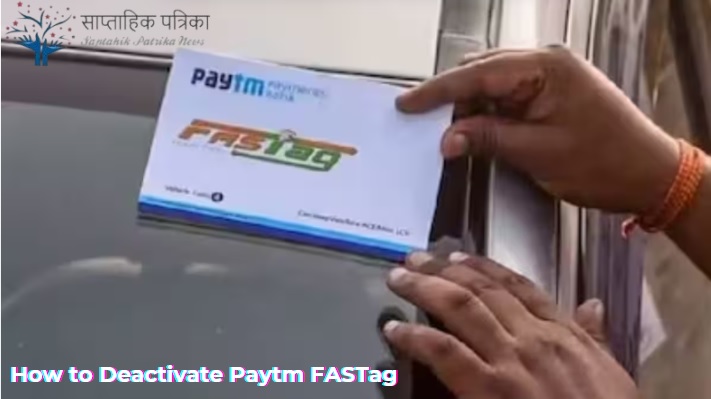
Paytm FASTag is a rechargeable tag that uses Radio Frequency Identification (RFID) technology to enable automatic toll payments directly from the linked Paytm wallet or bank account. It is affixed to the windshield of your vehicle, allowing you to pass through toll plazas without stopping to pay cash. The tag is linked to your vehicle’s registration number, making it a convenient and efficient way to manage toll payments.


Reasons to Deactivate Paytm FASTag
There are several reasons why you might need to deactivate your Paytm FASTag:
- Selling Your Vehicle: If you are selling your vehicle, you will need to deactivate the FASTag associated with it.
- Switching to Another FASTag Provider: You may want to switch to another FASTag provider for better services or offers.
- Lost or Damaged FASTag: If your FASTag is lost or damaged, you may need to deactivate it and get a new one.
- Vehicle Scrapping: If your vehicle is being scrapped, you should deactivate the FASTag to avoid any future charges.
- Incorrect Linking: If your FASTag is incorrectly linked to another vehicle, you may need to deactivate it and reissue a new one.
Steps to Deactivate Paytm FASTag
Deactivating your Paytm FASTag is a straightforward process. You can do it through the Paytm app, by contacting customer care, or by visiting a Paytm partner outlet. Below are the detailed steps for each method.
Through the Paytm App
- Open the Paytm App: Launch the Paytm app on your smartphone and log in to your account.
- Navigate to FASTag Section: Go to the ‘FASTag’ section, which can be found under the ‘Recharge & Pay Bills’ category.
- Select Your FASTag: Choose the FASTag you want to deactivate from the list of linked FASTags.
- Initiate Deactivation: Look for the ‘Deactivate FASTag’ option and click on it.
- Confirm Deactivation: You will be asked to confirm the deactivation. Once confirmed, your FASTag will be deactivated.
Via Customer Care
- Contact Paytm Customer Care: Dial the Paytm customer care number, which is 0120-4456-456.
- Request for Deactivation: Inform the customer care executive that you want to deactivate your FASTag.
- Provide Necessary Details: You will be asked to provide details such as your FASTag number, vehicle registration number, and reason for deactivation.
- Confirmation: Once the details are verified, the customer care executive will deactivate your FASTag.
By Visiting a Paytm Partner Outlet
- Locate a Paytm Partner Outlet: Find the nearest Paytm partner outlet that handles FASTag services.
- Visit the Outlet: Go to the outlet with your FASTag and necessary documents.
- Request for Deactivation: Inform the staff that you want to deactivate your FASTag.
- Submit Documents: Provide the required documents, such as your FASTag, vehicle registration certificate, and ID proof.
- Confirmation: The staff will process your request and deactivate your FASTag.
Note: Before deactivation, consider the impact on your data, account recovery options, potential loss of connections, subscription cancellations, and any ongoing commitments. Ensure you back up important information beforehand.
Important Points to Consider Before Deactivation
Before you proceed with deactivating your Paytm FASTag, there are a few important points you should keep in mind:
- Balance Refund: Ensure that you have zero balance in your FASTag account before deactivation. Any remaining balance will not be refunded automatically, and you may need to contact customer care for a refund.
- Vehicle Transfer: If you are selling your vehicle, make sure to deactivate the FASTag before transferring ownership to avoid any future liabilities.
- Reissuance: If you plan to get a new FASTag after deactivation, ensure that the old one is properly deactivated to avoid any conflicts.
- Customer Care Support: If you face any issues during the deactivation process, don’t hesitate to reach out to Paytm customer care for assistance.
- Documentation: Keep all necessary documents handy, such as your FASTag, vehicle registration certificate, and ID proof, to facilitate a smooth deactivation process.
Additional Information About Paytm FASTag Deactivation
1. Automatic Deactivation for Inactive FASTags
- If your Paytm FASTag remains inactive for an extended period (usually 6 months or more), it may be automatically deactivated by the system. To avoid this, ensure regular usage or recharge your FASTag periodically.
2. Deactivation Due to Non-Compliance
- If your FASTag is found to be non-compliant with regulatory requirements, it may be deactivated by Paytm or the National Highways Authority of India (NHAI). In such cases, you will need to obtain a new FASTag.
3. Impact on Toll Payments After Deactivation
- Once your FASTag is deactivated, you will no longer be able to use it for toll payments. You must either use another FASTag or pay tolls in cash until you obtain a new tag.
4. Refund Process for Remaining Balance
- If you have a balance in your FASTag account at the time of deactivation, you can request a refund by contacting Paytm customer care. The refund process may take 7-10 business days, and the amount will be credited to your linked bank account or Paytm wallet.
5. Reissuing a FASTag After Deactivation
- If you need a new FASTag after deactivation, you can purchase one through the Paytm app, website, or a partner outlet. Ensure that the old FASTag is properly deactivated to avoid any issues with the new one.
6. Temporary Deactivation
- Paytm does not offer temporary deactivation services. Once deactivated, the FASTag cannot be reactivated. You will need to purchase a new FASTag if required.
7. Deactivation for Commercial Vehicles
- For commercial vehicles, the process of deactivating a FASTag remains the same. However, ensure that all toll transactions are cleared before deactivation to avoid disputes.
8. Deactivation for Multiple FASTags
- If you have multiple FASTags linked to your Paytm account, you can deactivate them individually by following the same process for each tag.
9. Deactivation Due to Change in Vehicle Ownership
- If you have transferred ownership of your vehicle, ensure that the FASTag is deactivated before the transfer. The new owner will need to purchase a new FASTag for the vehicle.
10. Deactivation for Defective FASTags
- If your FASTag is defective or not functioning properly, you can deactivate it and request a replacement. Paytm may provide a new FASTag free of charge in such cases, depending on the terms and conditions.
Final Thoughts of this article
Deactivating your Paytm FASTag is a simple process that can be done through the Paytm app, customer care, or a partner outlet. However, it’s important to consider the points mentioned above to ensure a smooth deactivation process. Whether you’re selling your vehicle, switching to another provider, or dealing with a lost or damaged FASTag, following the correct steps will help you avoid any future complications. Always remember to clear your balance and keep the necessary documents ready before initiating the deactivation process.
Summary
Deactivating your Paytm FASTag is simple and can be done via the Paytm app, customer care, or partner outlets. Ensure zero balance, provide necessary documents, and follow the steps carefully. Deactivation is permanent, so plan accordingly to avoid future toll payment issues.
FAQs on Paytm FASTag Deactivation
Q. Can I reactivate my deactivated Paytm FASTag?
- Ans. No, once a Paytm FASTag is deactivated, it cannot be reactivated. You will need to purchase a new FASTag if required.
Q. Is there any fee for deactivating Paytm FASTag?
- Ans. No, Paytm does not charge any fee for deactivating your FASTag.
Q. How long does it take to deactivate a Paytm FASTag?
- Ans. The deactivation process is usually instant if done through the Paytm app. However, it may take up to 24 hours if done via customer care or a partner outlet.
Q. What happens to my balance after deactivation?
- Ans. Any remaining balance in your FASTag account will not be refunded automatically. You will need to contact Paytm customer care to request a refund.
Q. Can I transfer my Paytm FASTag to another vehicle?
- Ans. No, Paytm FASTag is linked to a specific vehicle and cannot be transferred to another vehicle. You will need to deactivate the existing FASTag and purchase a new one for the other vehicle.
Disclaimer: The information provided is for general guidance only. Paytm’s policies and procedures may change over time. For the most accurate and updated details, refer to Paytm’s official website or contact their customer care. Always ensure proper documentation and follow official guidelines for FASTag deactivation.