

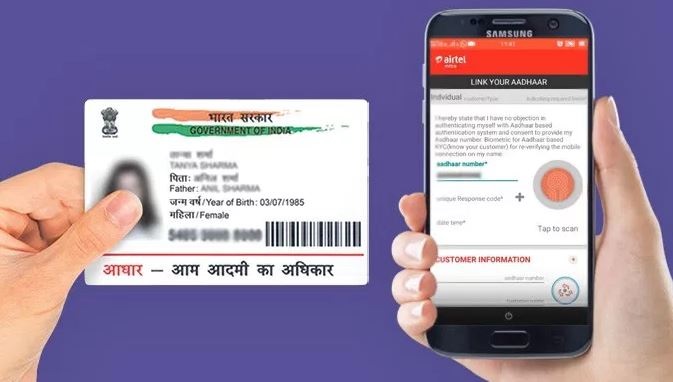
Updating your mobile number in your Aadhaar card is an essential process, especially if you have changed your number or if your previous number is no longer active. The Aadhaar card, issued by the Unique Identification Authority of India (UIDAI), serves as a crucial identity document linked to various services such as banking, government schemes, and mobile connections. This article will guide you through the steps How to Update Mobile Number in Aadhaar Card, both online and offline, along with important details and tips.
Importance of Updating Mobile Number in Aadhaar
Keeping your mobile number updated in your Aadhaar card is vital for several reasons:


- Receiving OTPs: Many online services require an OTP (One-Time Password) sent to your registered mobile number for authentication.
- Access to Services: An updated mobile number ensures that you can access various Aadhaar-related services without interruptions.
- Emergency Notifications: Important notifications regarding your Aadhaar status or linked services are communicated via SMS.
Steps to Update Mobile Number in Aadhaar Card
Online Method
As of now, the online facility to update the mobile number has been temporarily discontinued. However, you can still book an appointment for offline updates. Here’s how:
- Visit the UIDAI Website: Go to the official UIDAI website at uidai.gov.in.
- Book an Appointment:
- Navigate to the ‘My Aadhaar’ section.
- Select ‘Book an Appointment’ under the ‘Get Aadhaar’ option.
- Choose your city/location and proceed to book an appointment.
- Fill Out Required Details:
- Enter your mobile number and captcha code.
- Click on ‘Get OTP’ and verify it.
- Enter Your Details:
- Provide your Aadhaar number and name.
- Tick the option for updating your mobile number and enter the new number.
- Complete Appointment Booking:
- Fill in appointment details and make the payment for updating your mobile number (₹50).
- Visit Aadhaar Seva Kendra:
- Attend your scheduled appointment at the Aadhaar Seva Kendra with necessary documents (Aadhaar card).
- Complete biometric verification.
Offline Method
If you prefer or need to update your mobile number offline, follow these steps:
- Find Your Nearest Aadhaar Seva Kendra:
- Locate the nearest Aadhaar Seva Kendra through the UIDAI website.
- Fill Out the Update Form:
- Request an Aadhaar Update/Correction Form at the center.
- Fill in your details, including your new mobile number.
- Authenticate Your Identity:
- Provide biometric verification (fingerprint or iris scan) at the center.
- Pay the Required Fee:
- A fee of ₹50 is applicable for updating your mobile number.
- Receive Acknowledgment:
- After submission, you will receive an acknowledgment slip containing an Update Request Number (URN) that you can use to track the status of your update.
Processing Time
The processing time for updating your mobile number typically takes between 5 to 10 days, whether done online or offline. Once updated, all OTPs and notifications will be sent to your new registered mobile number.
Checking Status of Mobile Number Update
After submitting your request to update your mobile number, you can check its status by following these steps:
- Visit UIDAI Website: Go to uidai.gov.in.
- Select ‘Check Update Status’: Under the ‘My Aadhaar’ section, look for the option to check update status.
- Enter Required Details: Input your URN and other necessary information as prompted.
- View Status: The system will display whether your mobile number has been successfully updated or is still pending.
Common Issues During Update
While updating your mobile number in Aadhaar, you may encounter some common issues:
- Incorrect URN Entry: Ensure that you enter the correct Update Request Number when checking status.
- Biometric Verification Failure: If biometric verification fails, it may delay processing; ensure that you are using a clear fingerprint or iris scan.
- Payment Issues: Ensure that payment is successfully processed; keep a record of transaction receipts if applicable.
Tips for a Smooth Update Process
To ensure a smooth experience while updating your mobile number in Aadhaar, consider these tips:
- Prepare Documents: Carry a valid form of identification along with your Aadhaar card when visiting an Aadhaar Seva Kendra.
- Book Appointments Early: If opting for online booking, do it well in advance to secure a convenient time slot.
- Keep Track of URN: Always keep a copy of your acknowledgment slip containing the URN until you confirm that your update has been processed successfully.
Additional Services Linked with Mobile Number
Updating your mobile number is not just about maintaining contact; it also plays a significant role in accessing various services linked with Aadhaar:
- Banking Services: Many banks require a registered mobile number for transaction alerts and OTPs during online banking activities.
- Government Schemes: Many government welfare schemes use Aadhaar-linked numbers for communication regarding benefits and updates.
- Mobile Connections: Your mobile service provider may also require an updated Aadhaar for KYC purposes.
Understanding Aadhaar and Its Importance
Aadhaar is a 12-digit unique identification number issued by the Unique Identification Authority of India (UIDAI). It serves as a vital identity document for Indian residents, linking individuals to various services and benefits. The importance of Aadhaar extends beyond mere identification; it plays a crucial role in:
- Direct Benefit Transfers: Many government schemes utilize Aadhaar for direct benefit transfers to ensure that subsidies and benefits reach the intended recipients without leakage.
- KYC Compliance: Financial institutions require Aadhaar for Know Your Customer (KYC) compliance, making it easier for individuals to open bank accounts, apply for loans, and access other financial services.
- Digital Identity: Aadhaar acts as a digital identity for citizens, enabling them to authenticate their identity online and access various digital services seamlessly.
Required Documents for Updating Mobile Number
When updating your mobile number in your Aadhaar card, you may need to provide certain documents. While the process primarily involves biometric verification, having the following documents handy can facilitate a smoother experience:
- Aadhaar Card: Your existing Aadhaar card is essential for identification and verification purposes.
- Proof of Identity (POI): This could include documents like a passport, voter ID, PAN card, or any government-issued ID that contains your name and photograph.
- Proof of Address (POA): If your address has also changed, you may need to provide proof of address documents such as utility bills, bank statements, or rental agreements.
Biometric Verification
Biometric verification is a critical step in the process of updating your mobile number in Aadhaar. This involves capturing your fingerprints or iris scan at the Aadhaar Seva Kendra. Here’s what you should know about biometric verification:
- Accuracy: Ensure that your fingers are clean and dry when providing fingerprints. Smudged or wet fingers can lead to failed scans.
- Iris Scan: If you choose to use iris scanning instead of fingerprints, ensure that your eyes are not obstructed by glasses or contact lenses during the scan.
Tracking Your Update Request
Once you have submitted your request to update your mobile number, tracking its status is essential. Here’s how you can keep tabs on your request:
- Use the UIDAI Website: Go to the UIDAI website and select the option for checking update status under the ‘My Aadhaar’ section.
- Enter Details: Input your URN along with other required details like your Aadhaar number.
- Receive Updates via SMS: You may also receive SMS notifications regarding the status of your update request on the registered mobile number (if applicable).
Importance of Keeping Your Mobile Number Updated
Keeping your mobile number updated in your Aadhaar card is crucial for several reasons:
- Seamless Communication: An updated mobile number ensures that you receive all important notifications related to your Aadhaar status and linked services.
- Security: A registered mobile number is often used for two-factor authentication processes, enhancing the security of your personal information.
- Access to New Services: Many new services being rolled out by government agencies and private organizations require an updated mobile number for registration and access.
Common Mistakes to Avoid
When updating your mobile number in Aadhaar, it’s important to be aware of common mistakes that can lead to delays or complications:
- Incorrect Information: Double-check all information entered in the update form. Errors can lead to rejection of the application.
- Not Keeping Acknowledgment Slip: Always keep a copy of the acknowledgment slip received after submitting your request; this slip contains important details like URN.
- Ignoring Notifications: Pay attention to SMS or email notifications from UIDAI regarding any updates or additional requirements.
Additional Services Offered by UIDAI
The Unique Identification Authority of India (UIDAI) offers several services beyond just issuing Aadhaar numbers. Here are some additional services that residents can benefit from:
- Aadhaar Enrollment: New applicants can enroll for an Aadhaar number through designated enrollment centers across India.
- Aadhaar Authentication Services: UIDAI provides authentication services that allow organizations to verify an individual’s identity using their Aadhaar details.
- Aadhaar Reprint Services: If you lose your Aadhaar card, UIDAI offers reprint services where you can order a physical copy of your Aadhaar card online.
Understanding Fees Associated with Updates
Updating your mobile number in Aadhaar incurs a nominal fee. Here’s what you should know about the fees:
- Update Fee: The fee for updating details in Aadhaar is ₹50 per update request. This fee applies whether you are updating online or offline.
- Payment Methods: Payments can typically be made through various methods including cash at the center, online payment options during appointment booking, or through payment gateways provided by UIDAI.
By understanding these aspects related to updating your mobile number in Aadhaar, individuals can navigate the process more effectively and ensure their personal information remains current and secure.
Conclusion
Updating your mobile number in Aadhaar is a straightforward process but requires attention to detail and adherence to guidelines set by UIDAI. By following the outlined steps and tips, you can ensure that all communications related to your Aadhaar remain uninterrupted and efficient.
Summary
This article provides a detailed guide on how to update your mobile number in Aadhaar, covering both online and offline methods. It emphasizes the importance of keeping your mobile number current for seamless communication, security, and access to various services linked with Aadhaar.
FAQs
- What is the process to update my mobile number in Aadhaar?
You can update your mobile number by visiting an Aadhaar Seva Kendra or booking an appointment online. - Is there a fee for updating my mobile number?
Yes, a fee of ₹50 is applicable for updating your mobile number in Aadhaar. - What documents do I need to provide?
You need your Aadhaar card and may also require proof of identity and address. - Can I update my mobile number online?
Currently, the online facility for updating mobile numbers is not available; you must visit a center. - How long does it take to process the update?
The processing time usually takes between 5 to 10 days after submission. - How can I track the status of my update request?
You can check the status on the UIDAI website using your Update Request Number (URN). - What should I do if my biometric verification fails?
Ensure your fingers are clean and dry, or try using iris scanning if available.
Disclaimer: The information provided in this article is for informational purposes only. While we strive for accuracy, processes and requirements may change. Always verify details with official UIDAI sources or customer service for the most current information regarding updating your Aadhaar details.